The system
CareOS is built from ten areas that work on the same data: the same patient, the same visit, the same permission, and the same audit log. Everything described here exists as working screens in the prototype. You can click, navigate, and test it.
01
Calendar, appointments, and flow board
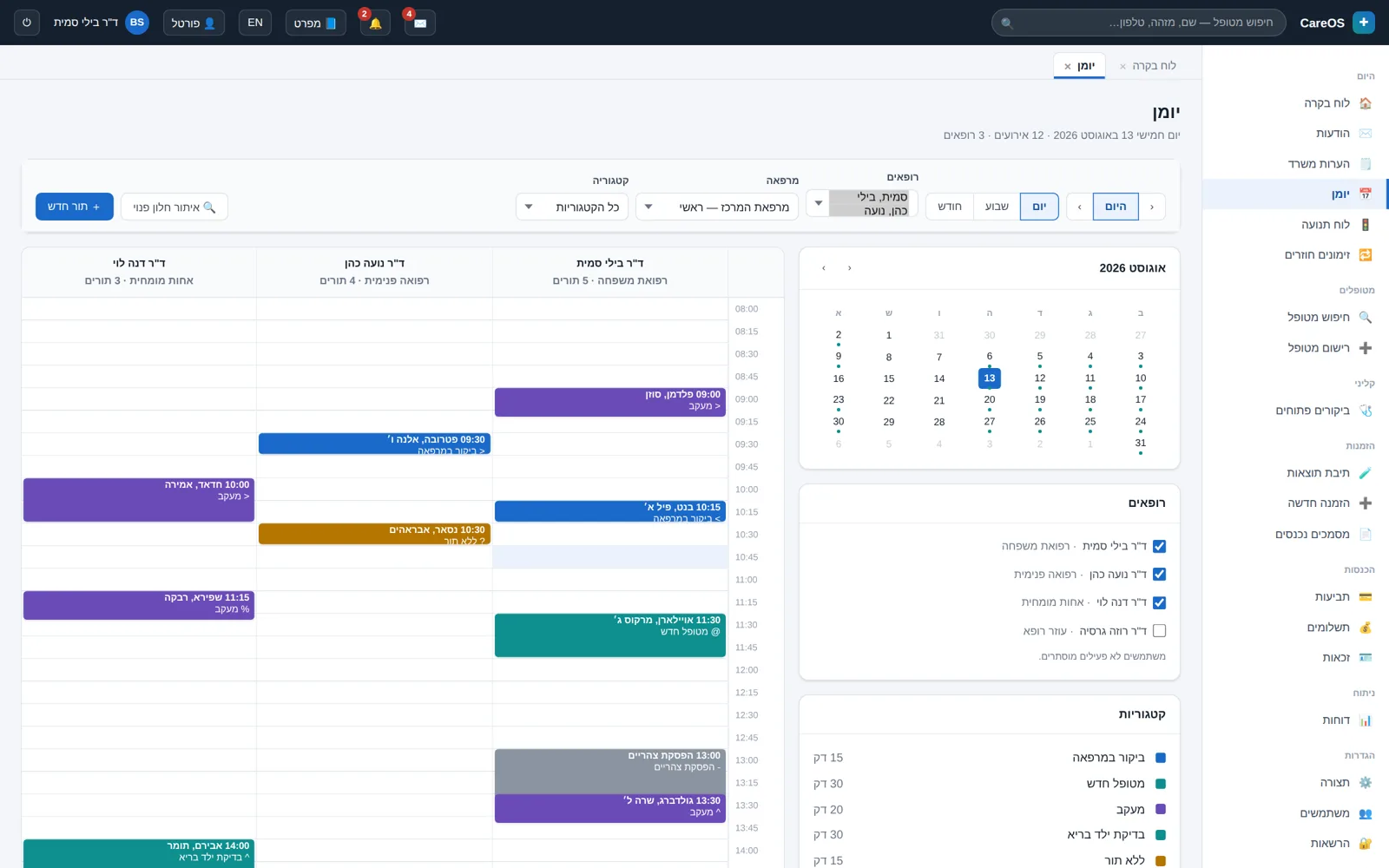
The calendar is the front desk's command center. It offers day, week, and month views per practitioner, room scheduling, and appointment types with durations and statuses. The week starts on Sunday, because that's how a clinic in Israel works.
- Day, week, and month views per practitioner and per room
- Configurable appointment types, durations, and statuses
- A waitlist and follow-up recalls for scheduled return visits
- A live flow board: who arrived, which room, and how long they've waited
02
The patient chart
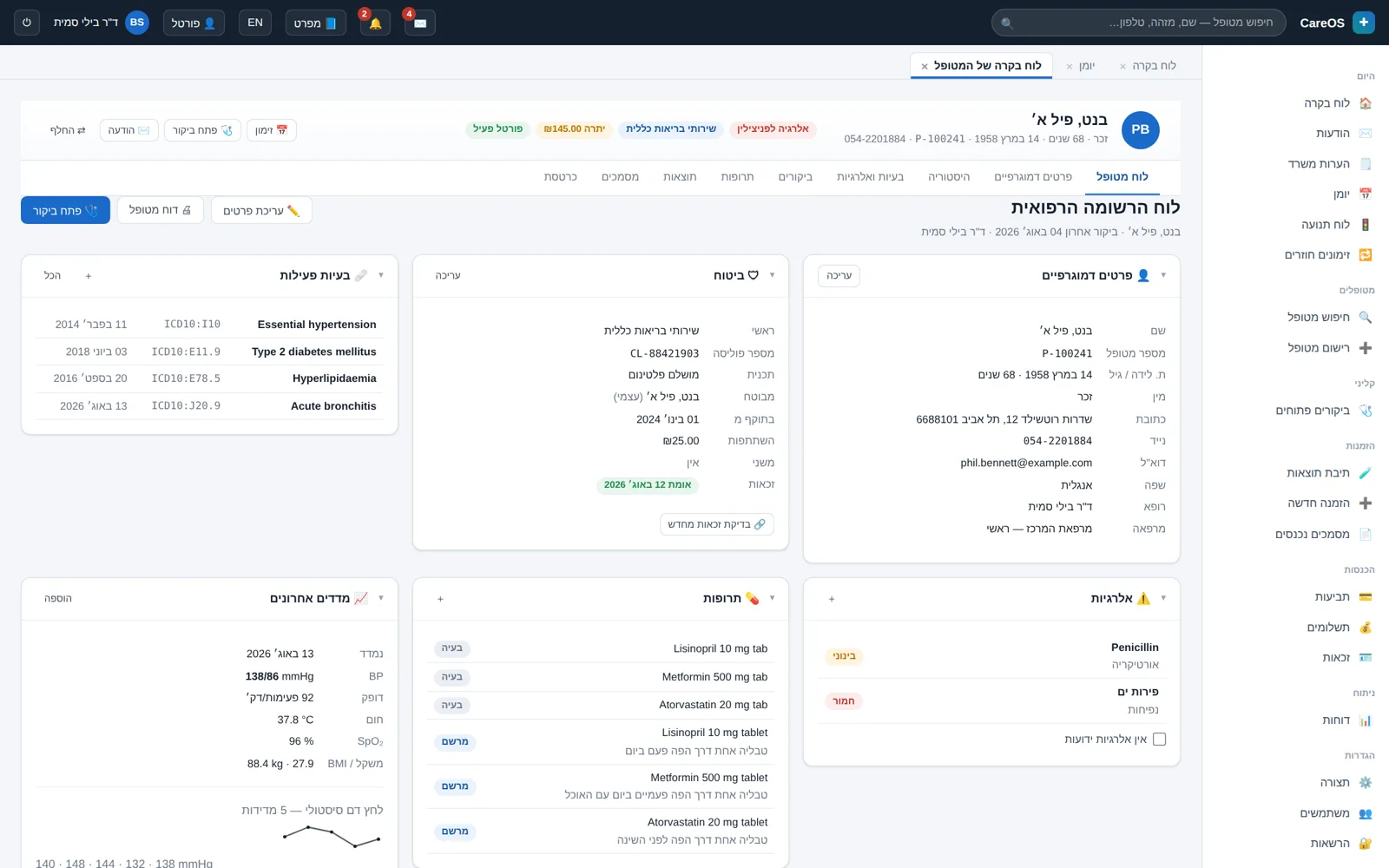
The chart brings everything known about the patient into one place. The demographic screen layout is defined in an admin interface, so each clinic arranges the fields around what it actually fills in. The clinical lists — problems, allergies, and medications — are stored as structured data, not free text.
- A demographic field layout that can be changed without a programmer
- A problem list, allergies with reaction and severity, and medications
- Medical history, scanned documents, and attached files
- A financial ledger and balance for each patient
03
Visits and clinical forms
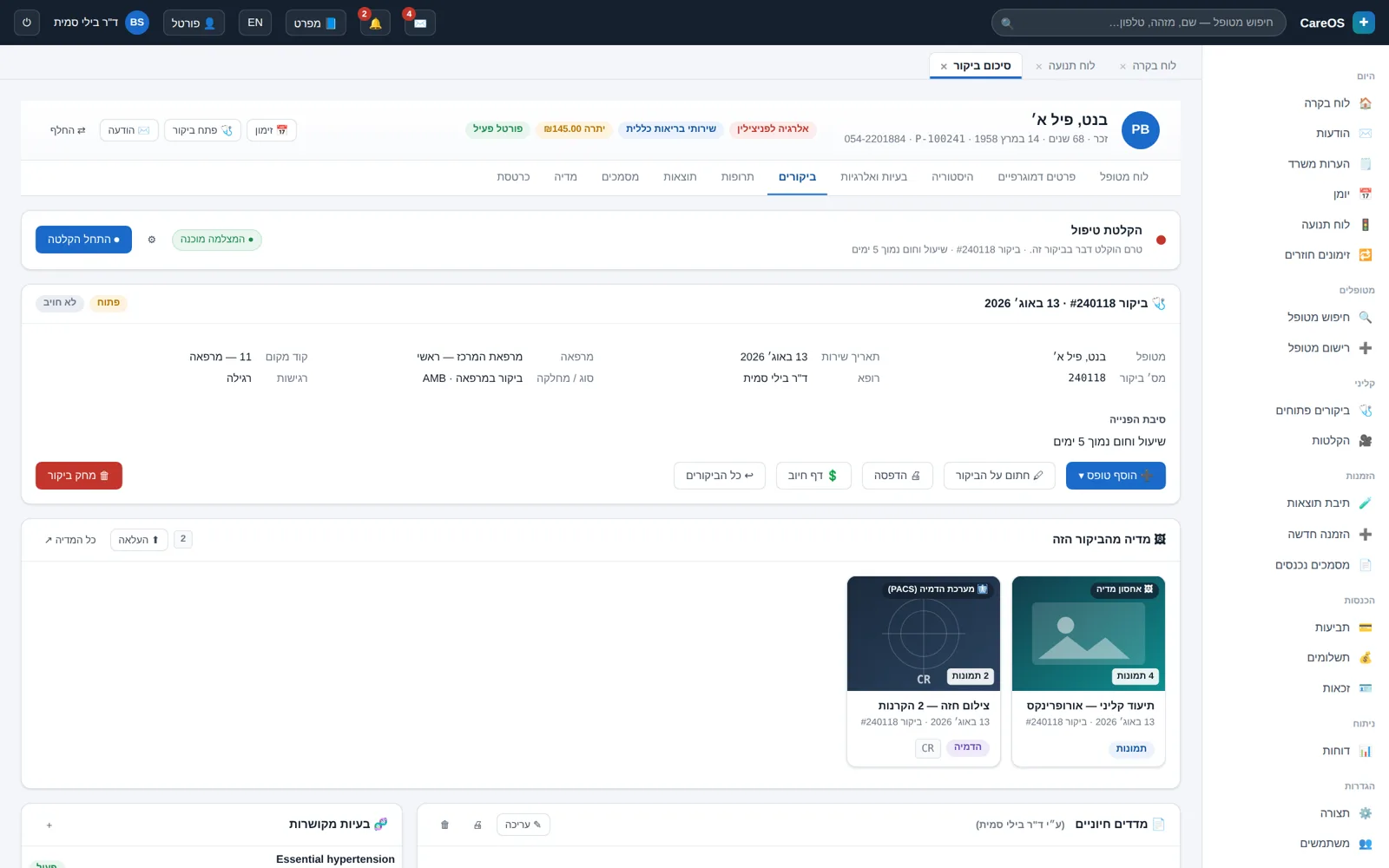
Every clinical event is stored as a visit with a summary, forms, and documentation. The forms include vital signs, SOAP notes, and review of systems. An electronic signature locks the visit, and every change afterward stays tracked.
- A visit summary with all the forms attached to it
- Vital-signs, SOAP, and review-of-systems forms
- An electronic signature that locks the visit
- Permissions at the individual-form level, not just the screen level
04
Prescriptions
The prescription is written from within the visit and linked to it. Before saving, the system checks the drug against the allergies recorded in the chart and shows a warning. The check relies on what was actually documented, so the quality of allergy recording is part of the process.
- Writing a prescription from within the visit, linked to patient and date
- A check against recorded allergies before saving
- An active medication list that updates in the chart
- Printing in Hebrew with correct alignment and character order
05
Orders and results
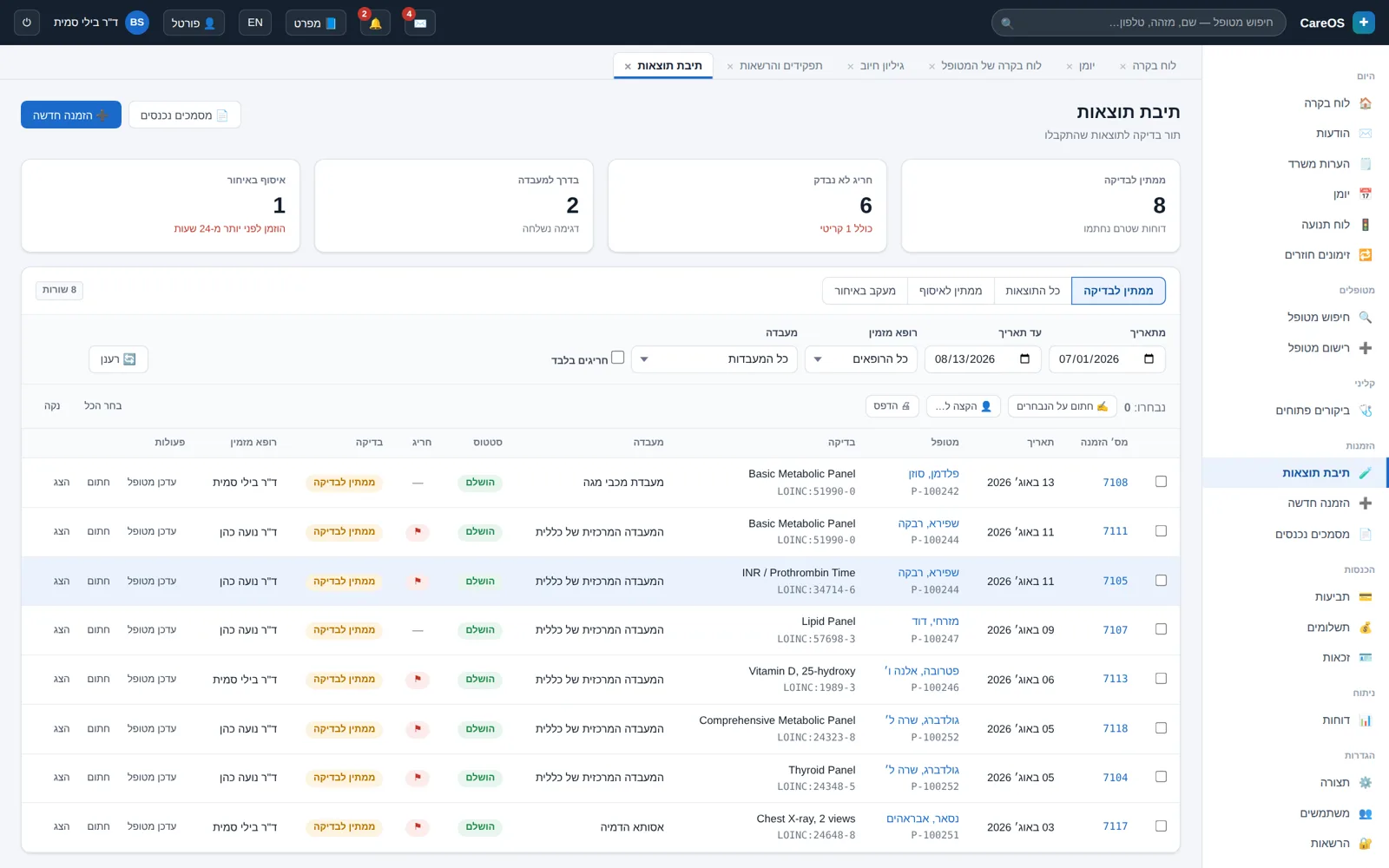
A test order opens from within the visit, and the result returns to that same context. Result intake is done in the HL7 v2 standard, out-of-range values are flagged, and the result waits for the practitioner's sign-off before it counts as handled.
- Lab orders from within the visit, with status tracking
- Result intake in the HL7 v2 standard
- Flagging of abnormal values against the reference range
- A review-and-sign-off workflow, and trend graphs over time
06
Billing and collections
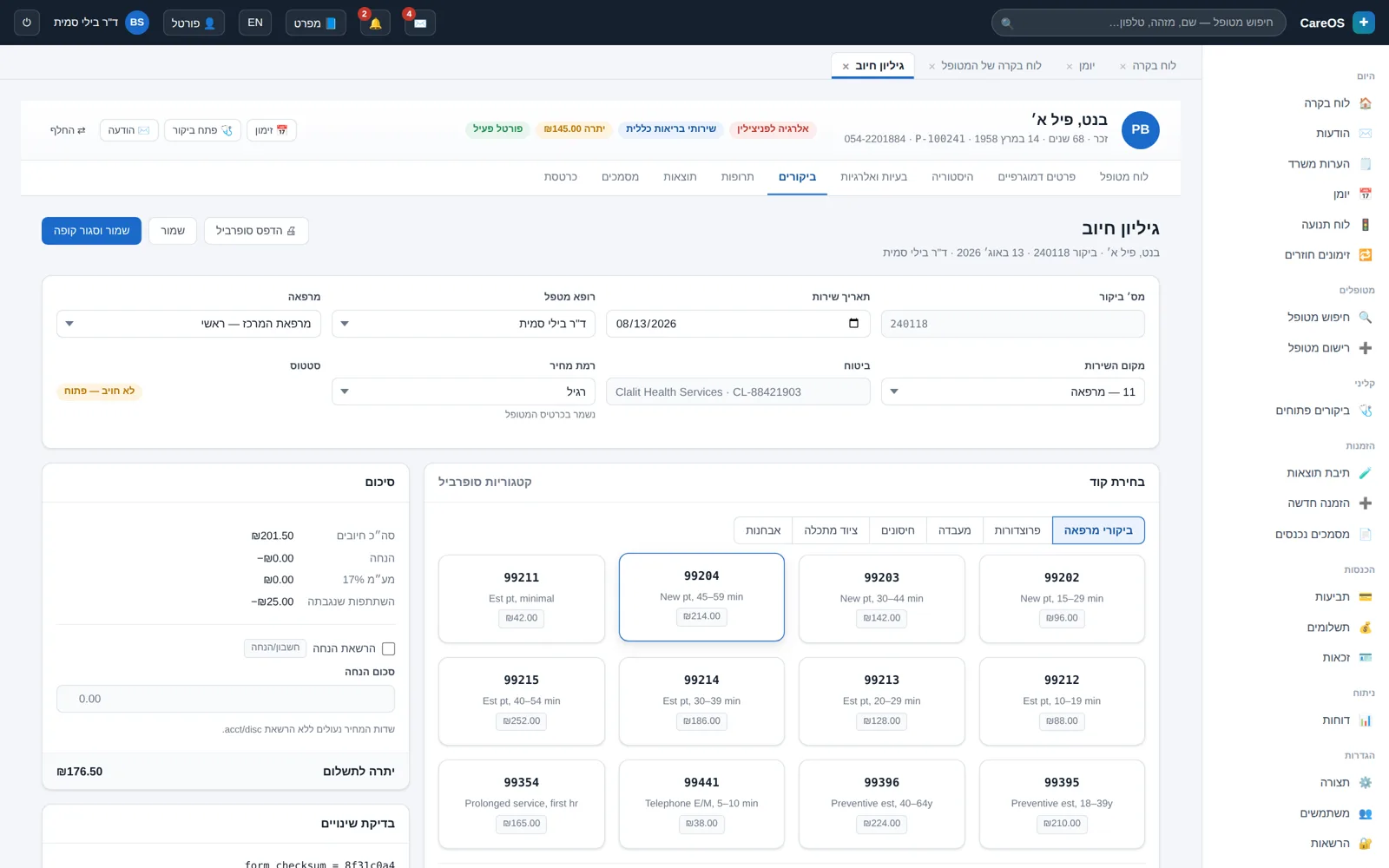
The charge is built on the same visit where the treatment took place, so there is no double entry. The charge page links every charge line to the diagnosis that justifies it. From there you move on to a claim, payment posting, and the patient ledger.
- A charge page with diagnostic justification for each line
- Claim generation and status tracking
- Posting of payments, credits, and balances in the ledger
- Eligibility checks and financial reports
07
Patient portal
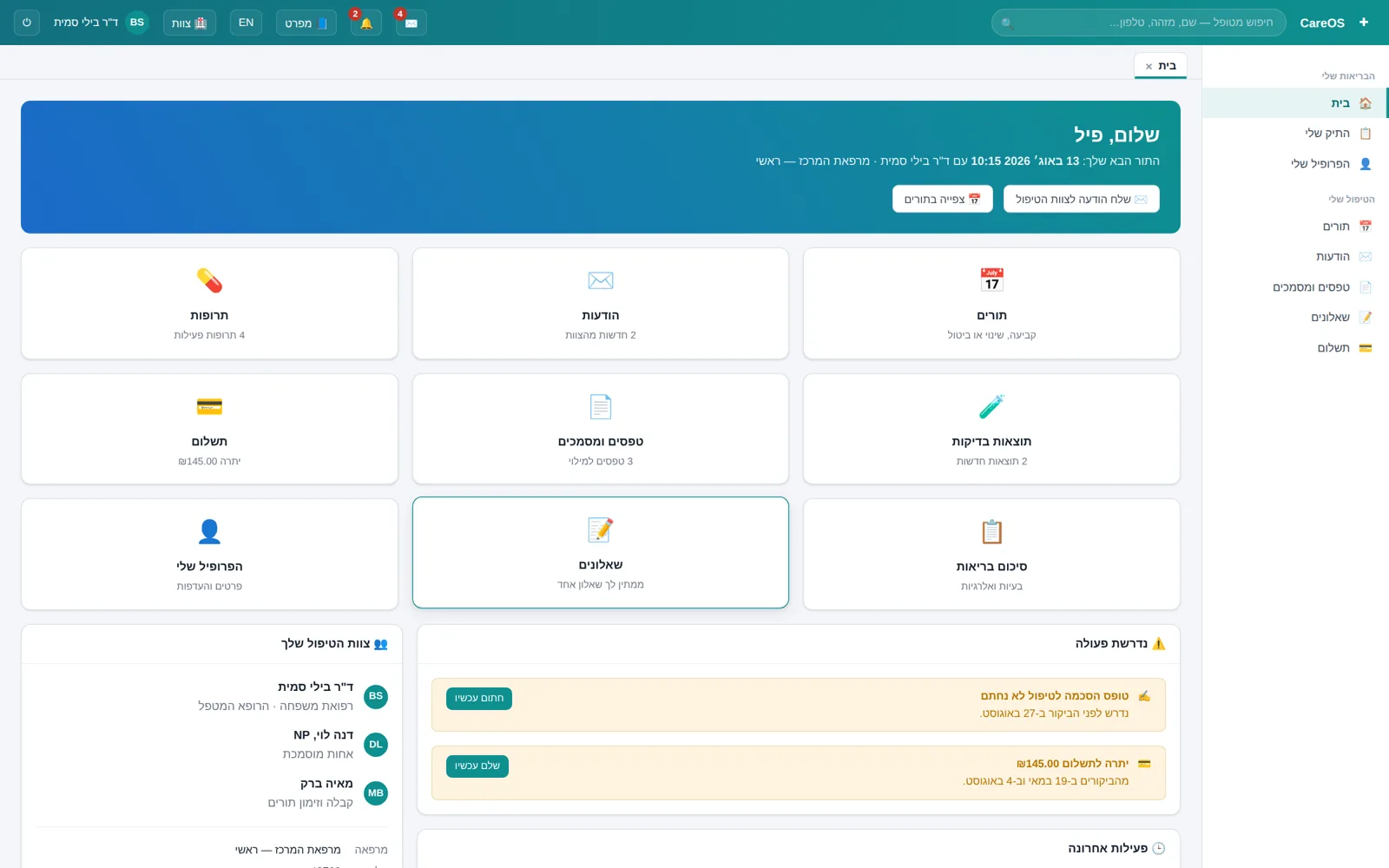
The portal hands the patient part of the work that today lands at the front desk: confirming appointments, filling out questionnaires before the visit, viewing results and documents, and paying. Messages travel on a secure channel inside the system, not over ordinary email.
- Appointments: view, confirm, and request changes
- Digital questionnaires completed before arrival
- Results and documents per the clinic's release policy
- Secure messaging and online payment
08
Treatment recording
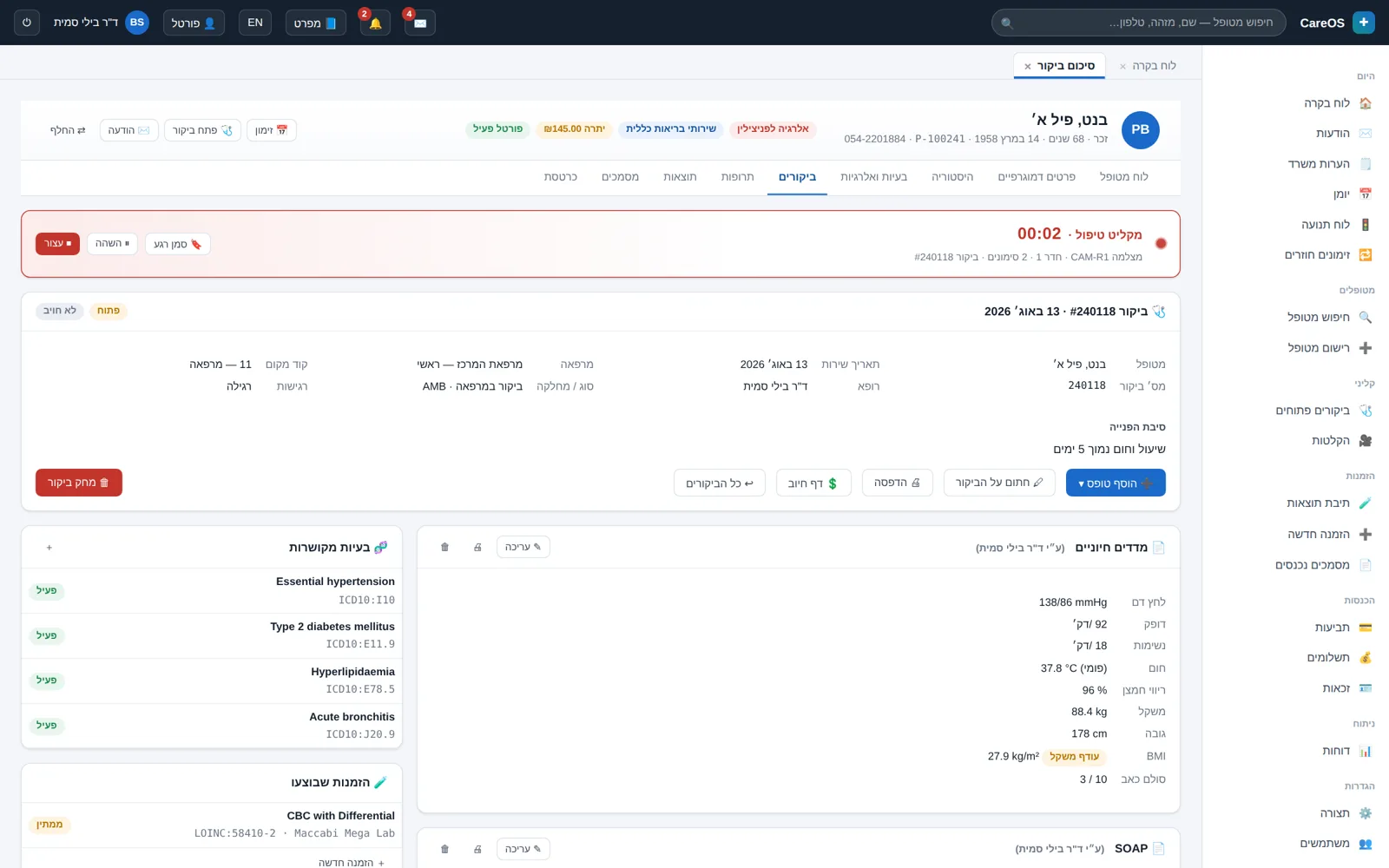
A video recording of a treatment starts and stops from within the visit and is saved linked to it. Before it begins, a documented consent gate is passed. During the recording you can bookmark moments, and every viewing of the material is written to an access log tied to the patient.
- Starting and stopping a recording from within the visit itself
- A documented consent gate before recording begins
- Bookmarking moments for quick return to key points
- A full access log: who viewed, when, and from what context
09
Media and imaging
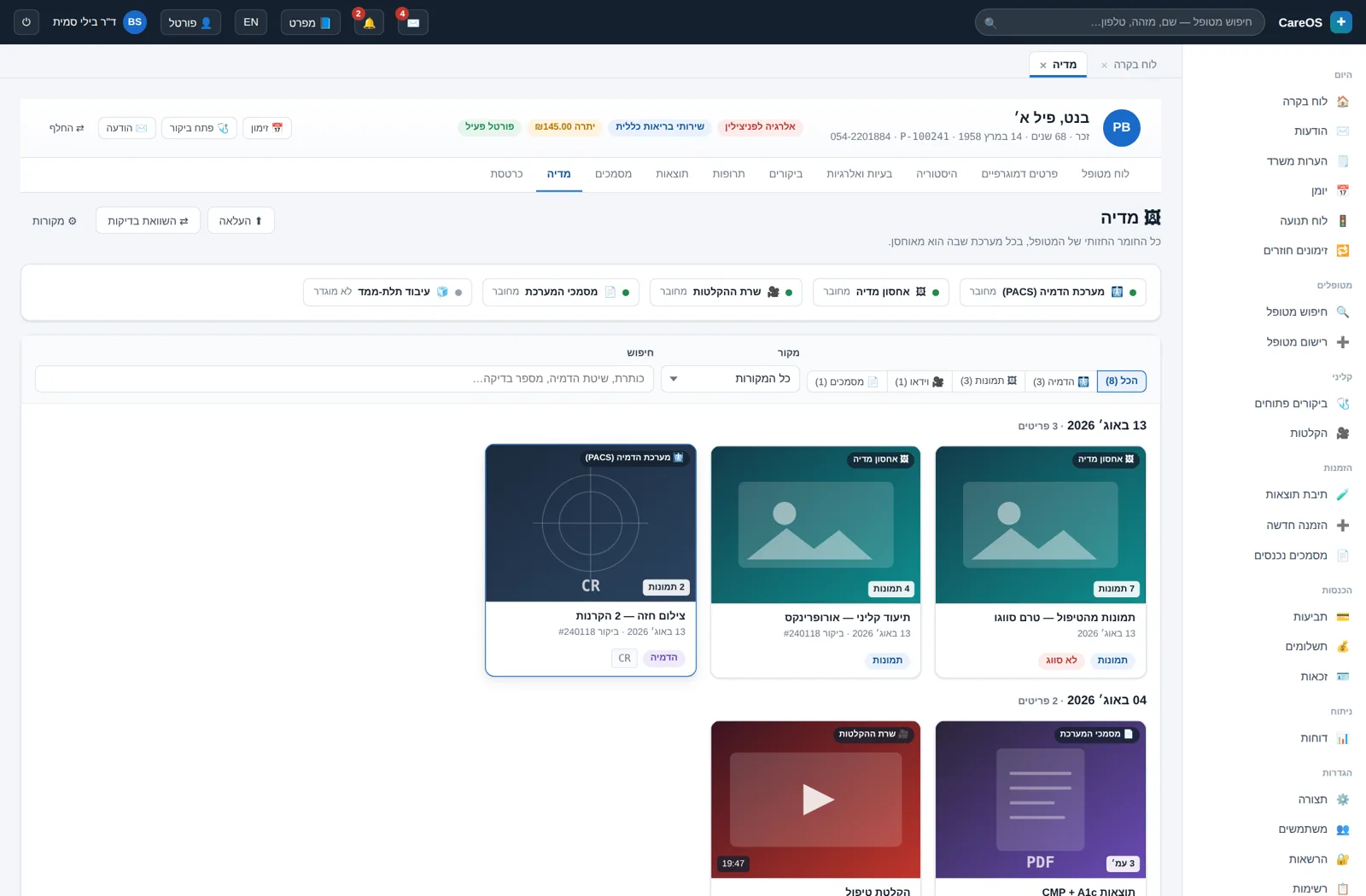
Each patient has a single media tab. It shows clinical images, video, PDF files, and DICOM imaging studies together, even when the files are stored across different systems. Clicking an item opens the viewer appropriate to its type.
- A unified view of images, video, PDF, and imaging studies
- Federation: the source stays where it is, the view is centralized
- Opening the right viewer for each file type
- Every item opened is written to the audit log
10
Administration, permissions, and audit
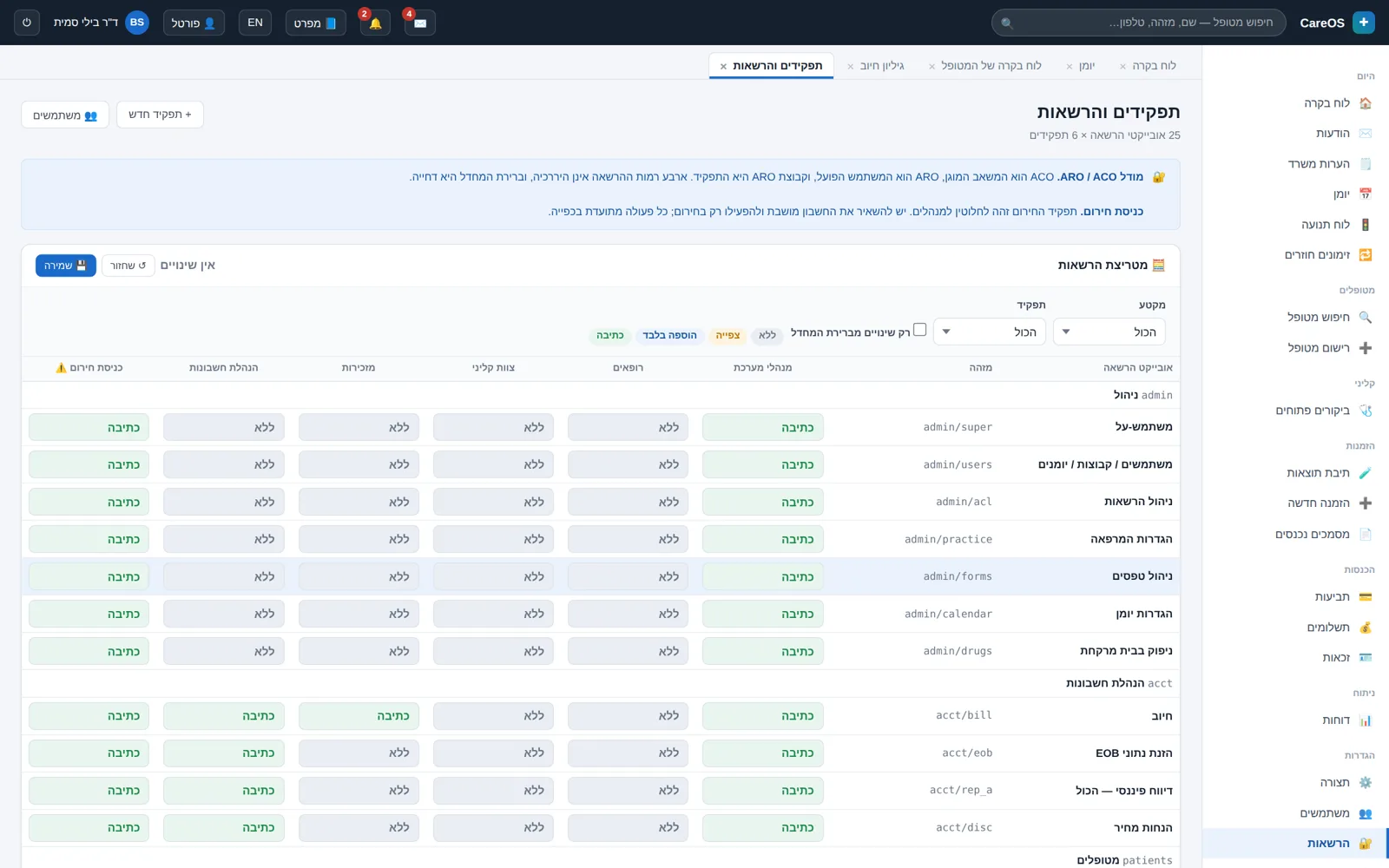
The admin screens are part of the product, not an add-on. The clinic administrator changes form layouts, value lists, and permissions themselves. The permission matrix defines what each role may view and edit, and the audit log keeps a row for every action with an integrity signature.
- 492 configuration settings organized by area
- A permission matrix: 65 access objects across 6 roles
- A form designer for changing fields and layouts without development
- An audit log with an integrity signature on every row
Interfaces and standards
The system speaks in accepted standards, so your information doesn't get stuck in one place.
Want to see this running on your clinic?
We'll walk through the calendar, the patient chart, and the billing flow together, and see what fits and what's missing. A half-hour conversation, no slide deck.