When Excel and Paper Stop Coping: Time to Move
A neutral guide to why clinics start with Excel, paper and Google Calendar, where these tools break, the warning signs, and how to prepare for a move…
CareOS runs your calendar, patient chart, visits, prescriptions, lab work, billing, and patient portal in one system. Writing direction, the local calendar, the shekel, and the national ID are part of the product's foundation, not a translation layer pasted on top.
The demo runs in your browser. No installation, no commitment.
These aren't matters of taste. They are failures that create duplicate work, and sometimes clinical error.
An interface translated after the fact produces mixed lines where numbers, units, and comparison signs appear in reversed order. In a table of lab values or blood pressure, that isn't a cosmetic issue — it's wrong data in front of the physician's eyes.
Photos on the practitioner's phone, treatment videos on an external drive, imaging in a separate system, consents on paper. When information sits outside the chart, you can't find it in time, and you can't prove who viewed it.
Adding a field to an intake form, reordering demographic fields, or granting a new permission to a role — each one turns into a support ticket, a quote, and a wait. A clinic changes its processes faster than a vendor can code them.
The system
Ten areas that work on the same patient chart and the same calendar, with no export and import between them.
Day, week, and month views per practitioner, room scheduling, appointment types and statuses, a waitlist, follow-up recalls, and a live flow board that shows who has arrived, in which room, and how long they've been waiting.
Demographics in a configurable screen layout, a problem list, allergies with reaction and severity, medications, history, documents, and a financial ledger.
Visit summaries, clinical forms such as vital signs, SOAP, and review of systems, an electronic signature that locks the visit, and permissions at the level of the individual form.
Write a prescription from within the visit, checked against the allergies recorded in the patient chart before it is saved.
Lab orders, result intake in the HL7 standard, flagging of out-of-range values, a review-and-sign-off workflow by the practitioner, and trend graphs over time.
A charge page with diagnostic justification, claims, payment posting, a patient ledger, eligibility checks, and financial reports.
Patients see appointments, results, and documents, complete questionnaires in advance, message on a secure channel, and pay online.
Start and stop a recording tied to a specific visit, with a documented consent gate, bookmarking of key moments, and a full access log of everyone who viewed the material.
A single media tab per patient that shows images, video, PDF files, and DICOM imaging studies together, regardless of where each file is stored, opening the right viewer for each type.
492 configuration settings, a permission matrix of 65 access objects across 6 roles, a form designer for changing layouts without a programmer, value lists, and an audit log with an integrity signature on every row.
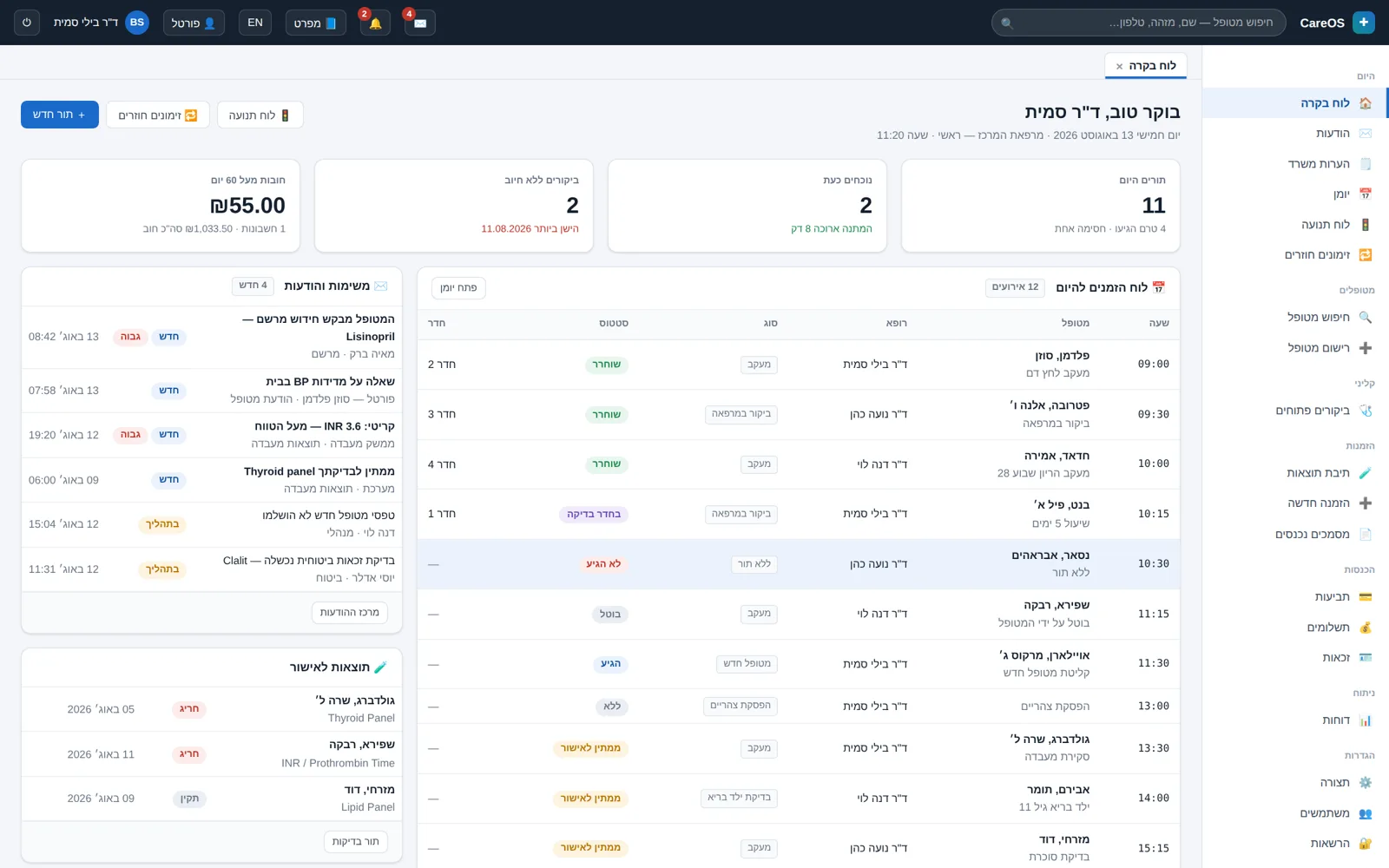
Six screens from the prototype. Every screen is fully in Hebrew, right to left.
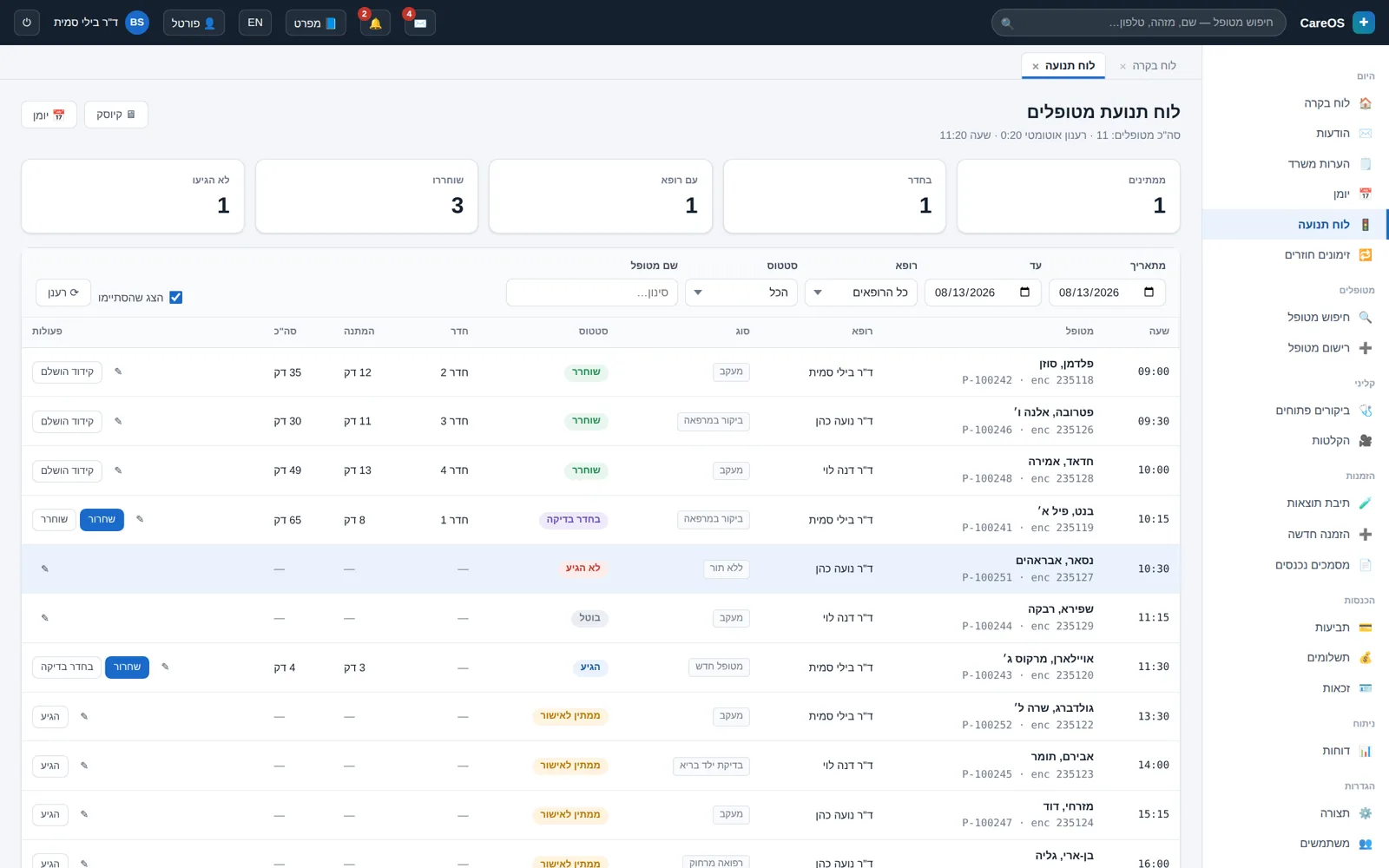 The flow board: who is in the clinic right now, in which room, and the actual wait time.
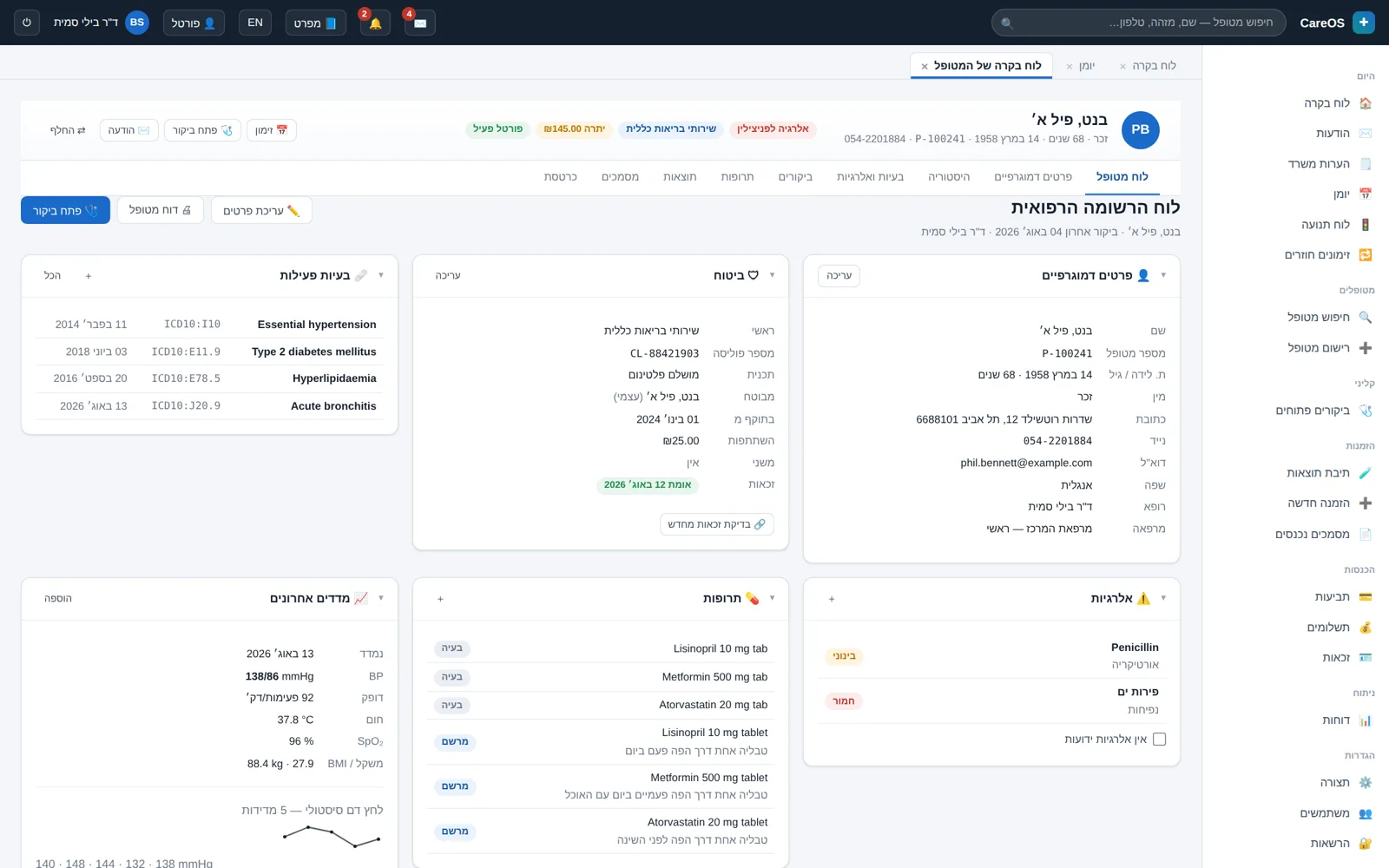 The patient chart: problems, allergies, and medications at a glance, with a configurable layout.
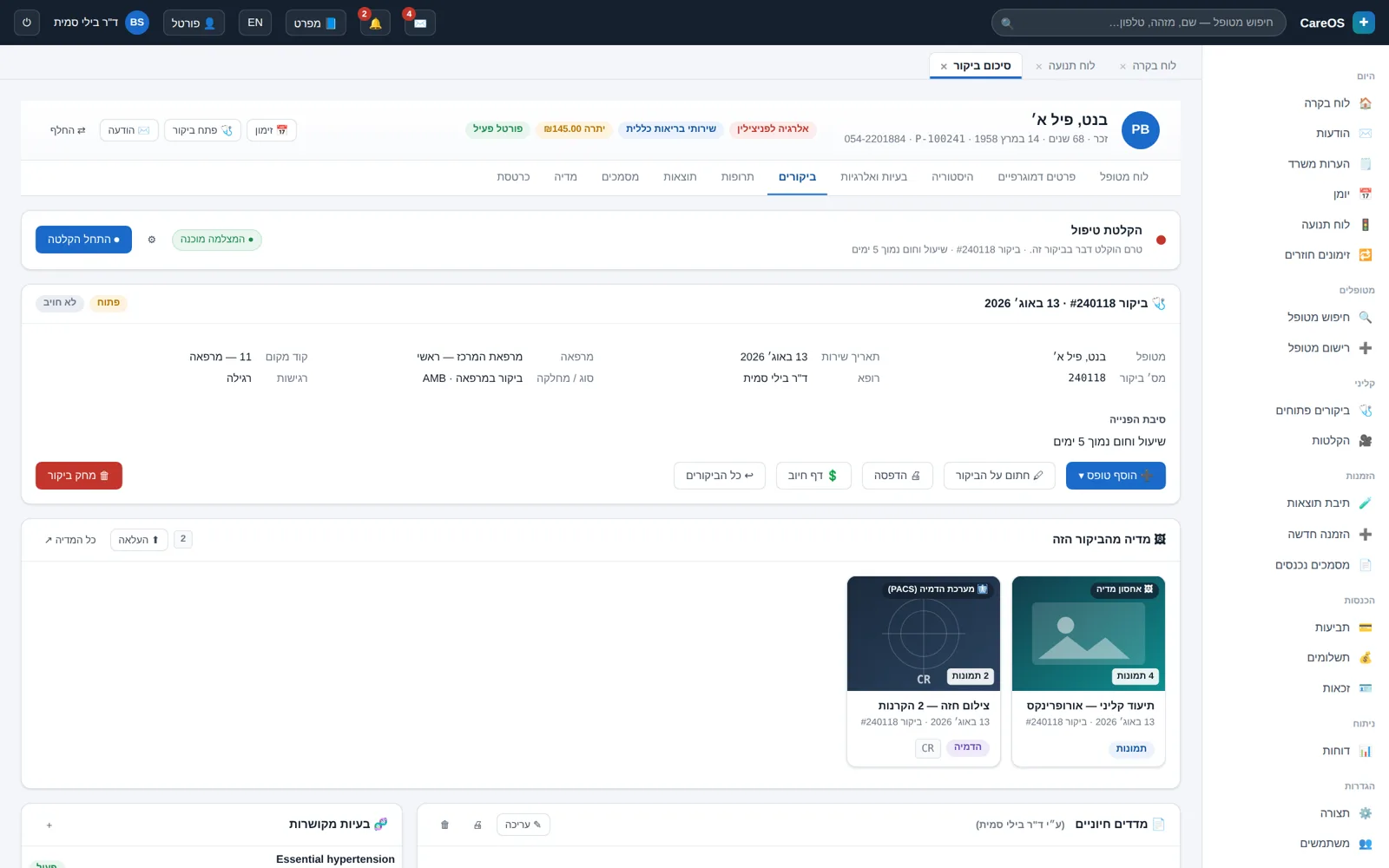 An open visit with a vital-signs form, before the signature that locks it.
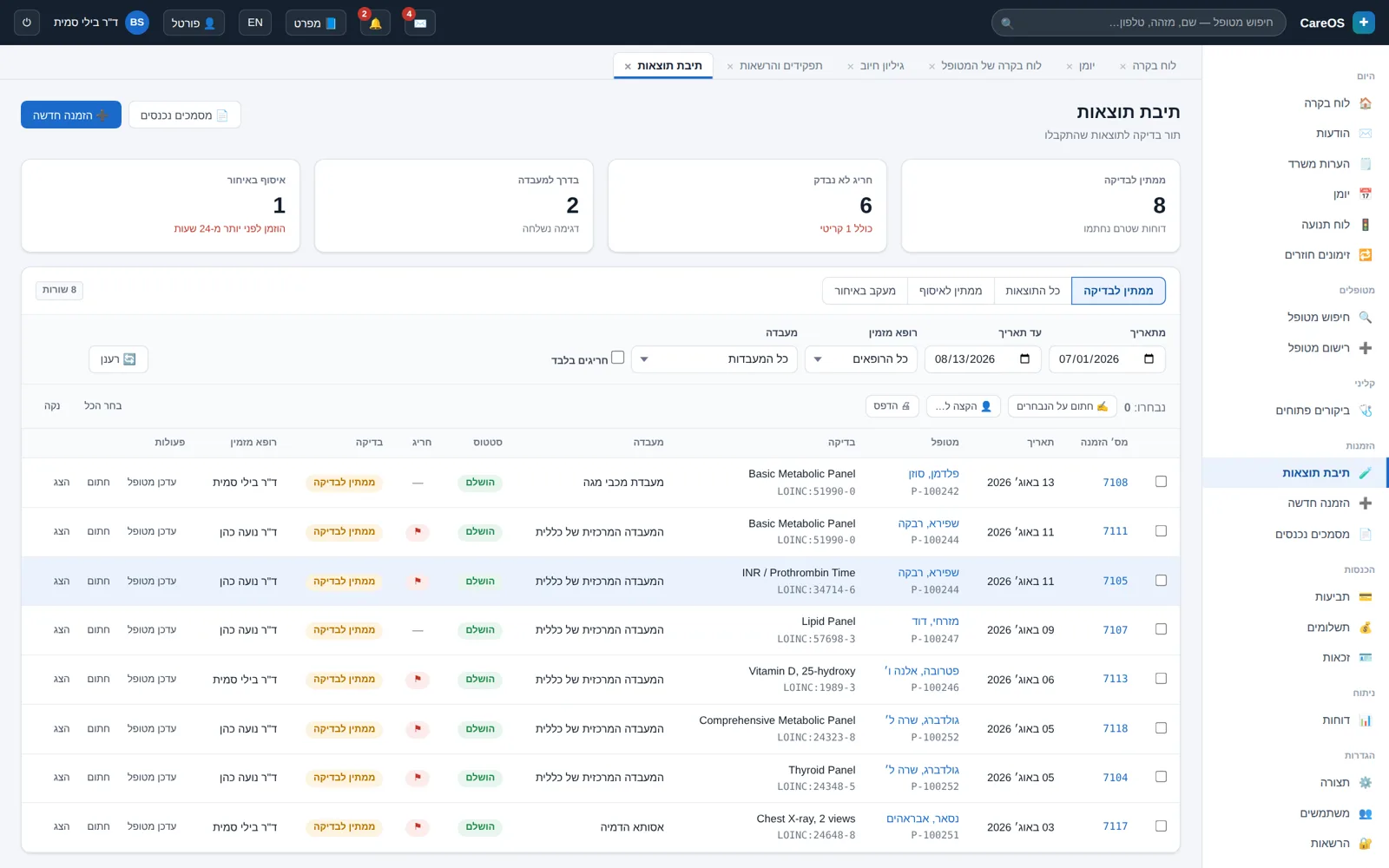 Lab results with out-of-range values flagged and a trend graph over time.
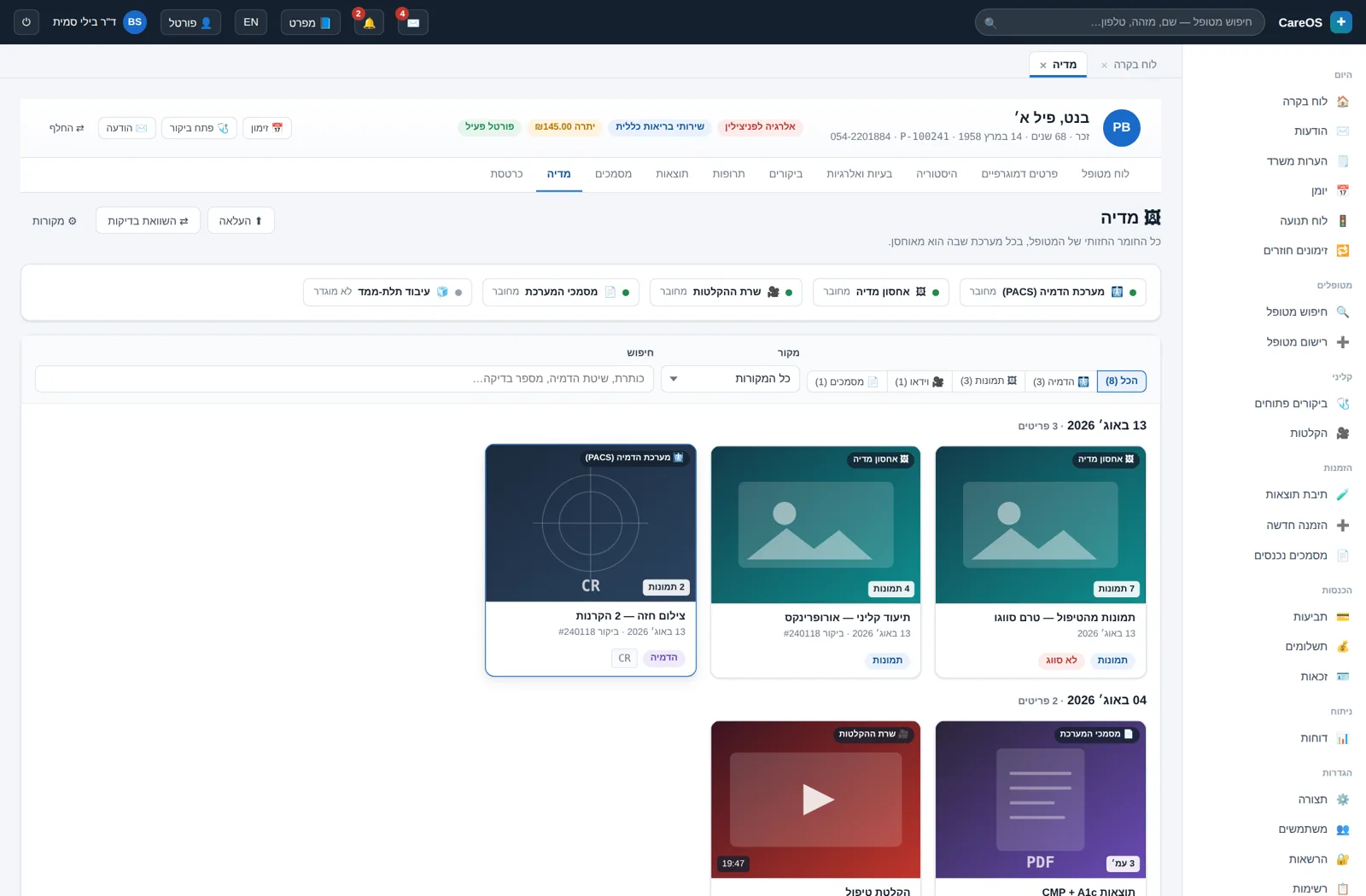 The media tab: images, video, and imaging studies for the same patient in one place.
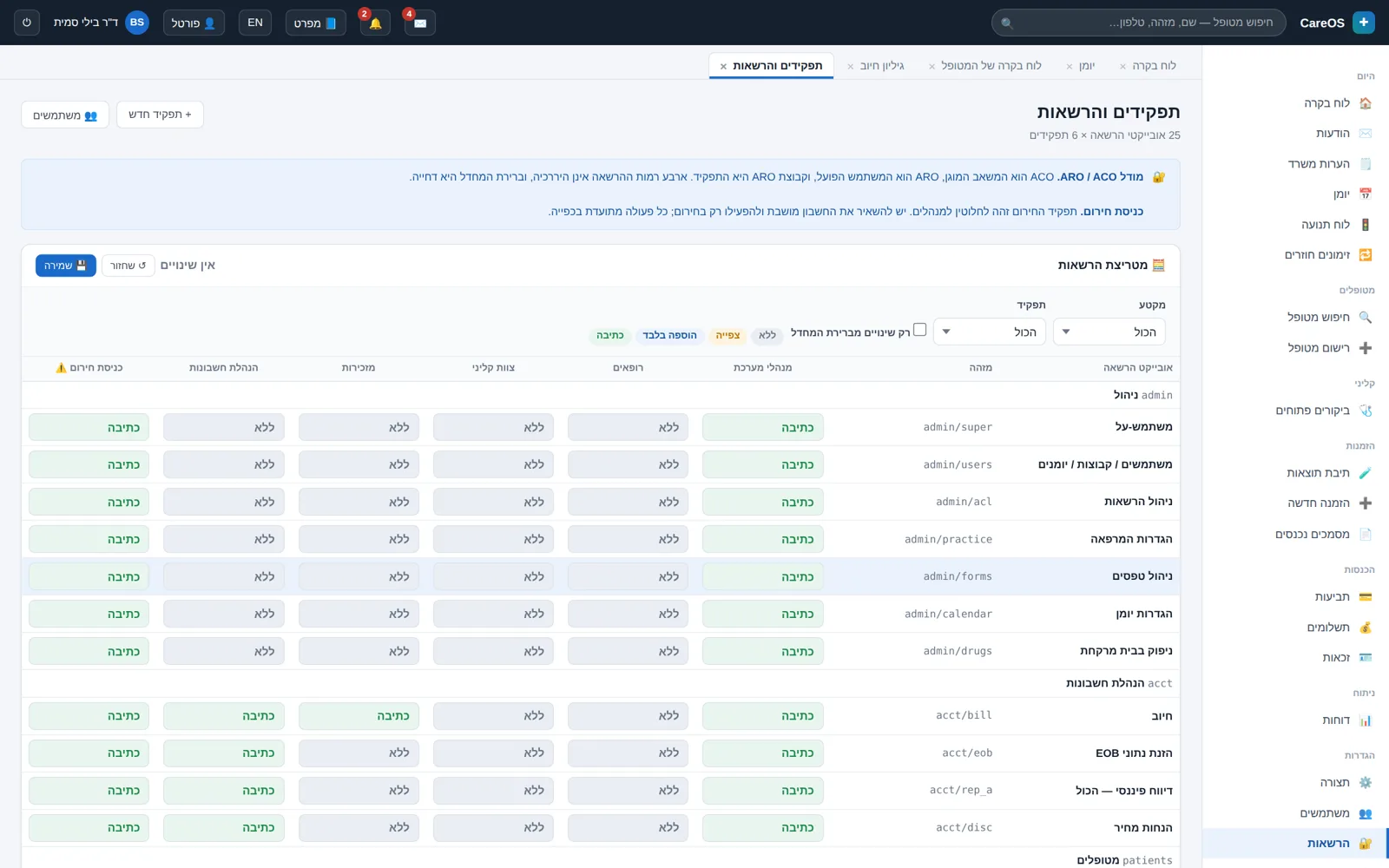 The permission matrix: what each role may view, add, and edit.
In bidirectional text, a number sitting inside a Hebrew sentence can be displayed in reversed order. In a medical system that isn't a display glitch — it's wrong clinical data.
The familiar open-source alternative in this field provides RTL support that amounts to roughly 5% of its stylesheet by CSS-rule count, and a Hebrew interface translated at about 61% by string count. The meaning of those numbers is mixed screens: part Hebrew, part English, and part aligned to the wrong side.
The value 140.4 / 87.6 can be drawn on screen as 87.6 / 140.4 — systolic and diastolic swapped, and the unit jumping ahead of the number. A hypertensive reading is shown as hypotension. A screenshot won't catch it, because a reversed range still looks like a range.
A lab reference range written as >60 is drawn inside a Hebrew paragraph as 60<. The character doesn't move — it is rendered as its own mirror image. A result that is within range reads as abnormal, and vice versa. The same mechanism turns a credit into a charge.
In CareOS, every compound value — a range, a ratio, a signed amount, a date and time, a dose with a unit — passes through a typographic formatting layer that isolates it as a single unit. Automated tests verify the actual character order, not just how the screen looks.
The system speaks in accepted standards, so your information doesn't get stuck in one place.
Practical articles on clinic management, clinical documentation, privacy, and switching between systems. No empty jargon, and with conclusions you can apply next week.
A neutral guide to why clinics start with Excel, paper and Google Calendar, where these tools break, the warning signs, and how to prepare for a move…
A neutral buyer's guide to testing any clinic management or EMR system during a live demonstration. Practical scenarios, 20 questions to ask, red flag…
A practical guide to building an RBAC permission matrix for a private clinic: core roles, form-level permissions, audit log, break-glass and a full se…
We'll walk through the calendar, the patient chart, and the billing flow together, and see what fits and what's missing. A half-hour conversation, no slide deck.