Live demo
The prototype is open to use in your browser. It contains the system's core screens with dummy data, so you can test the workflow and not just watch a presentation.
Opens in a new window. Best viewed on a wide screen.
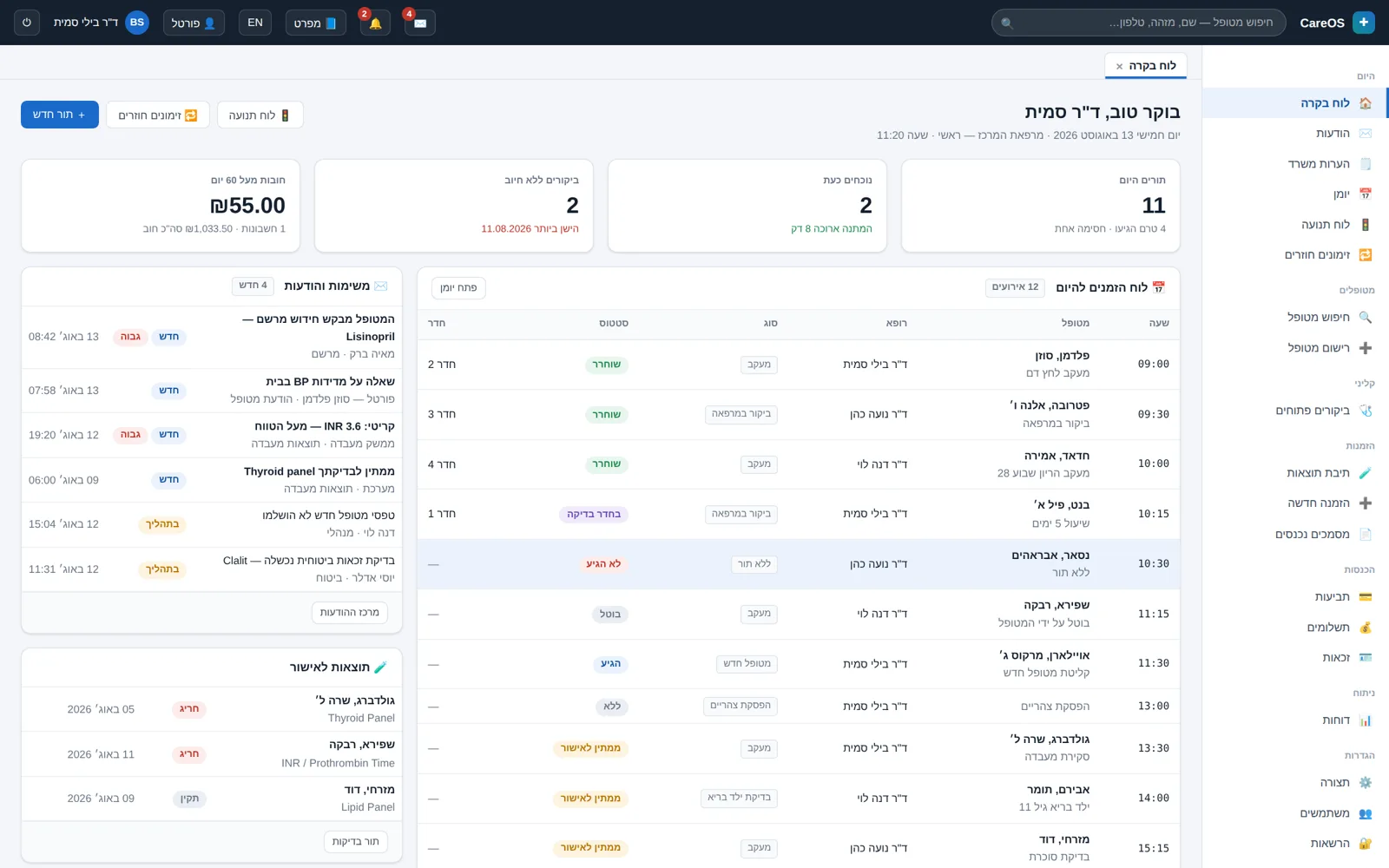
What to click, and in what order
- Switch between Hebrew and English with the language toggle at the top of the screen, and check that the layout flips completely, not just the text.
- Turn on the specification-notes toggle to see which spec section stands behind each area of the screen.
- Open a patient chart and move between the problems, allergies, and medications; note how numbers and ranges are displayed inside Hebrew text.
- Enter an open visit and activate the recording bar: the consent gate, start and stop, and moment-bookmarking.
- Move to that same patient's media tab and see images, video, and an imaging study side by side.
- Finish in the patient portal: appointments, a questionnaire, results, and a secure message.
What half an hour will cover
There is no need to work through the whole system in one sitting. Half an hour with the demo is enough to answer the questions that actually decide things: what a working day looks like in the calendar, how many clicks a visit takes from opening to closing, what a patient chart looks like after two years of history, and what happens when a photograph, a video or an imaging study is attached to a visit. The rest — billing, documents and the patient portal — can wait for a second pass.
Who should be looking at the screen
The exercise is worth far more when two kinds of user look together: the person who actually documents — a physician, a therapist or a nurse — and the person who runs the calendar and the collection from the front desk. The two roles see a completely different system, and the gap between them is exactly where systems fail in practice. If the clinic has an IT person or an external support provider, it is worth having them look at the permissions screens and the audit log as well.
What to prepare beforehand
You can go in with no preparation at all, but two minutes of it improves the exercise. Think of one real patient from the past week and try to reproduce their path inside the demo: booking, visit, documentation, outgoing document. Before you start, write down three things your current system makes hard, and test those first — they will teach you more than any guided tour. Do not enter real patient data: this is a dummy environment that saves nothing.
And if you would rather we went through the screens together than alone, write to us via the contact page and we will arrange a time.
How it actually looks
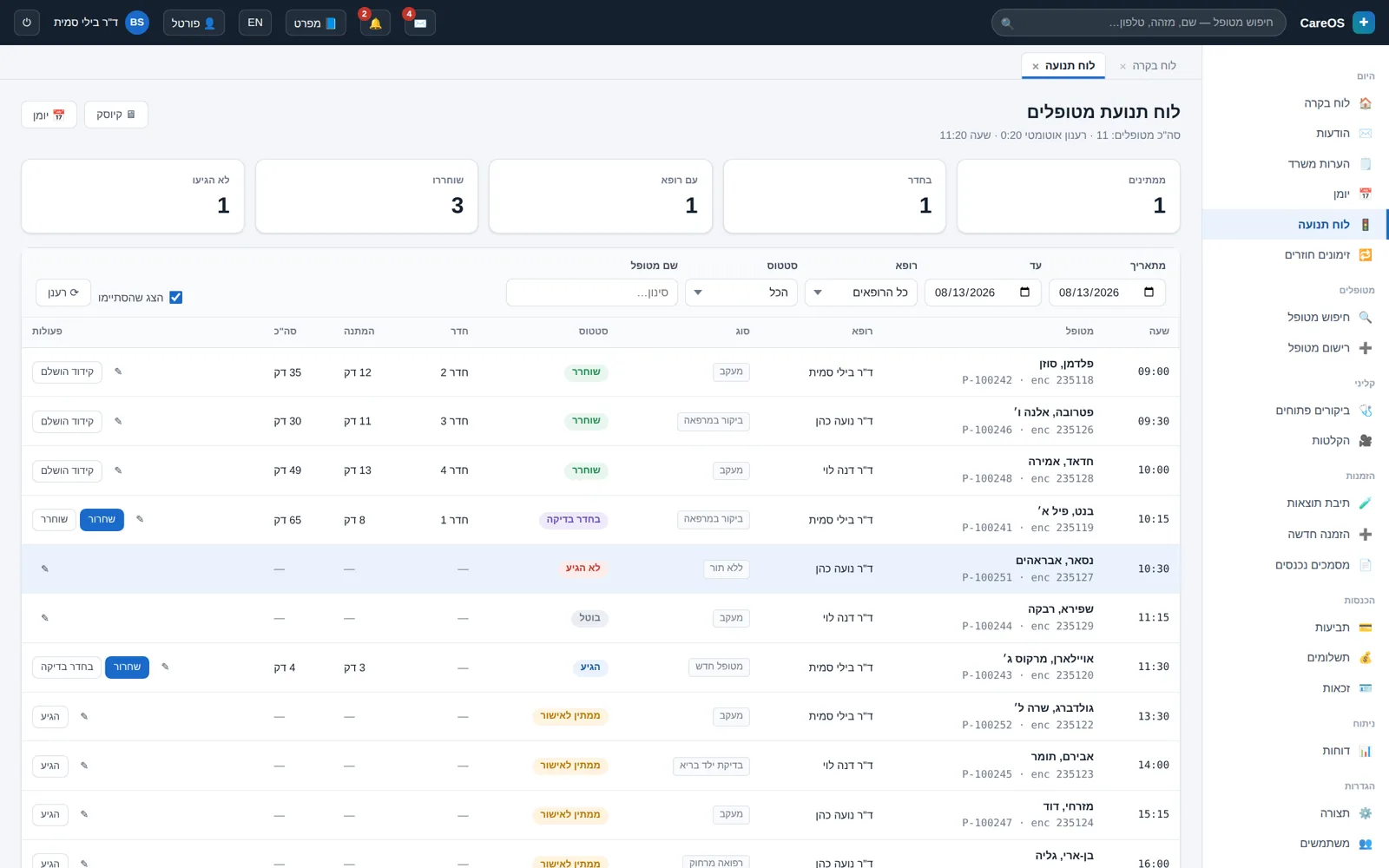 The flow board: who is in the clinic right now, in which room, and the actual wait time.
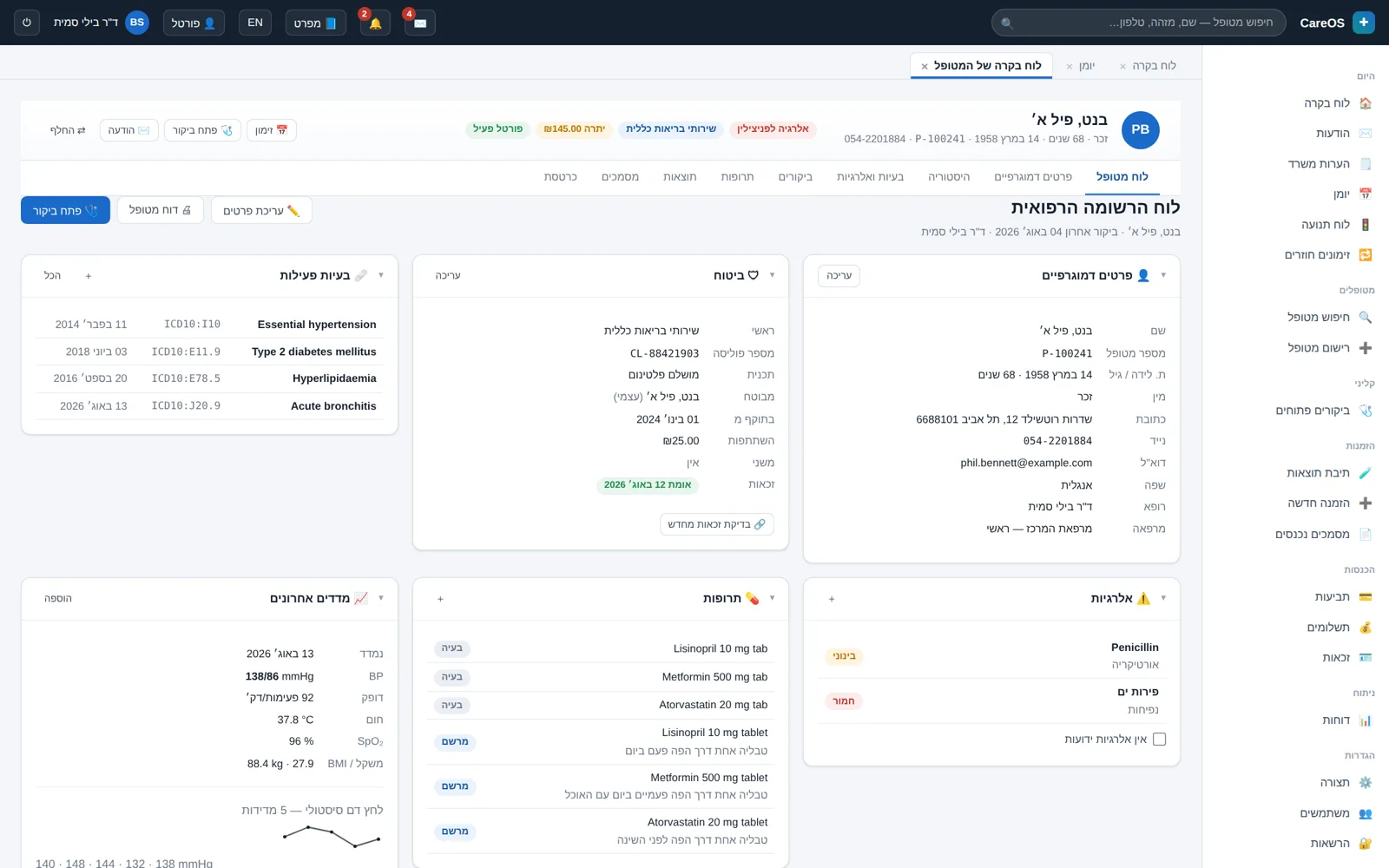 The patient chart: problems, allergies, and medications at a glance, with a configurable layout.
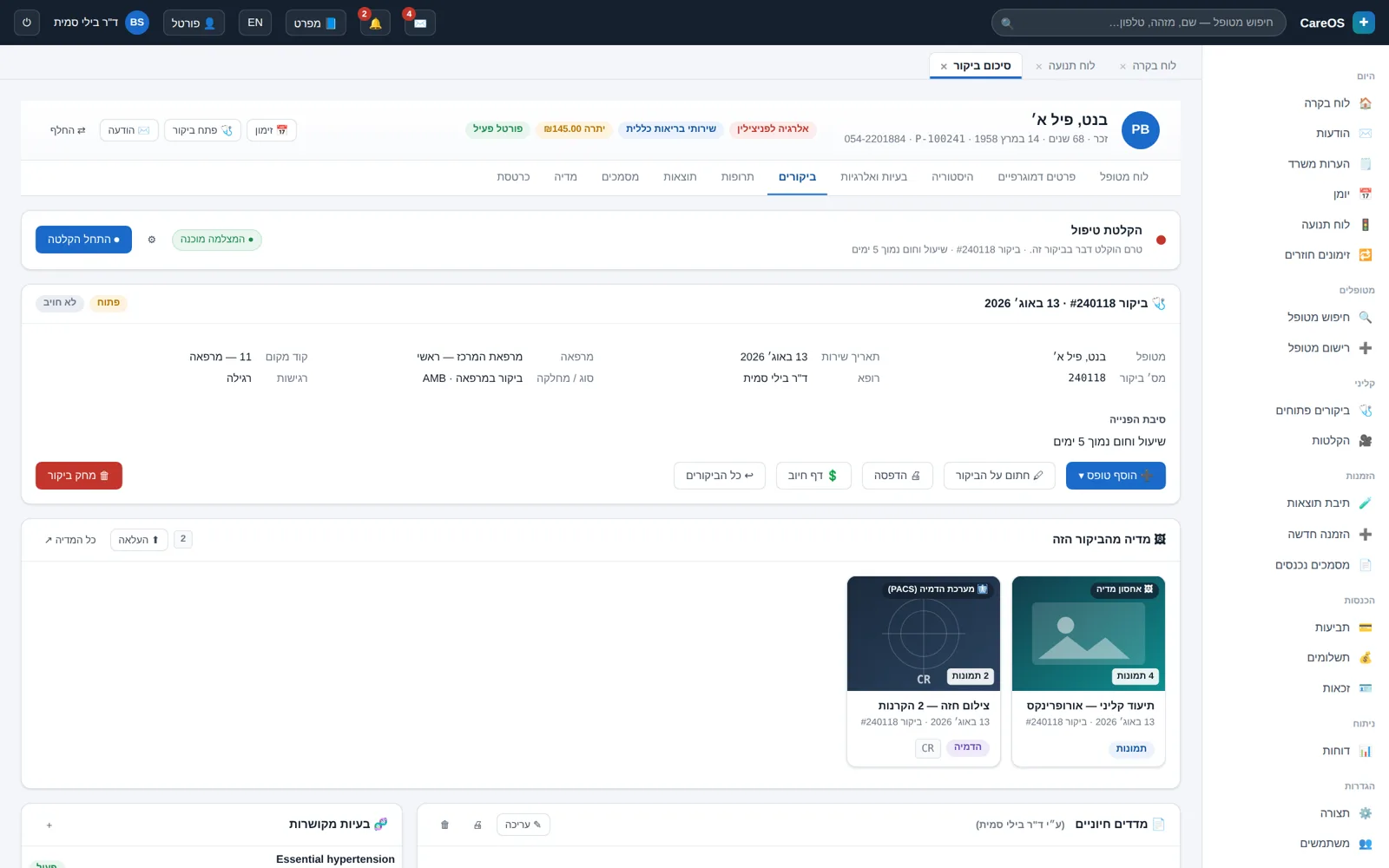 An open visit with a vital-signs form, before the signature that locks it.
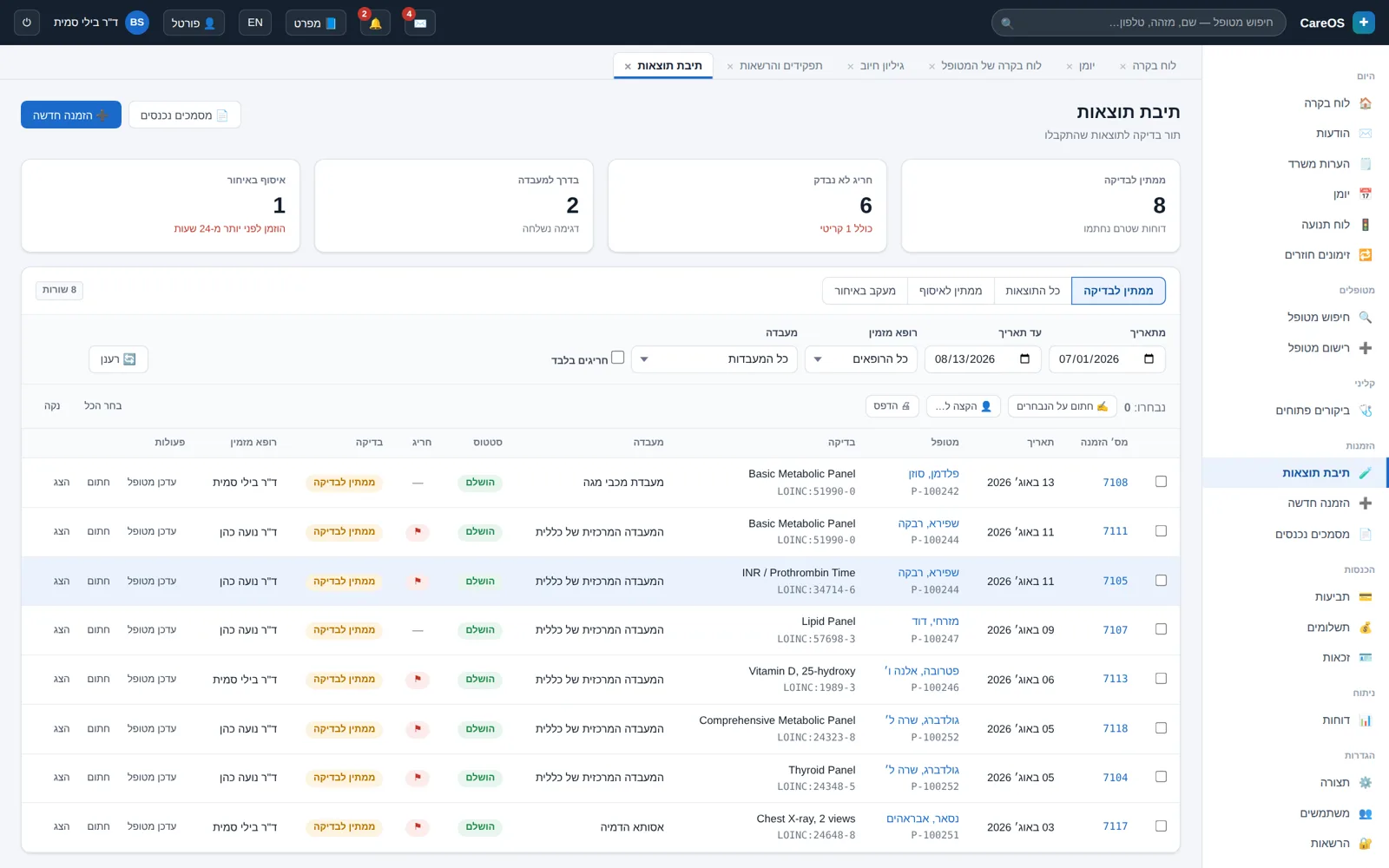 Lab results with out-of-range values flagged and a trend graph over time.
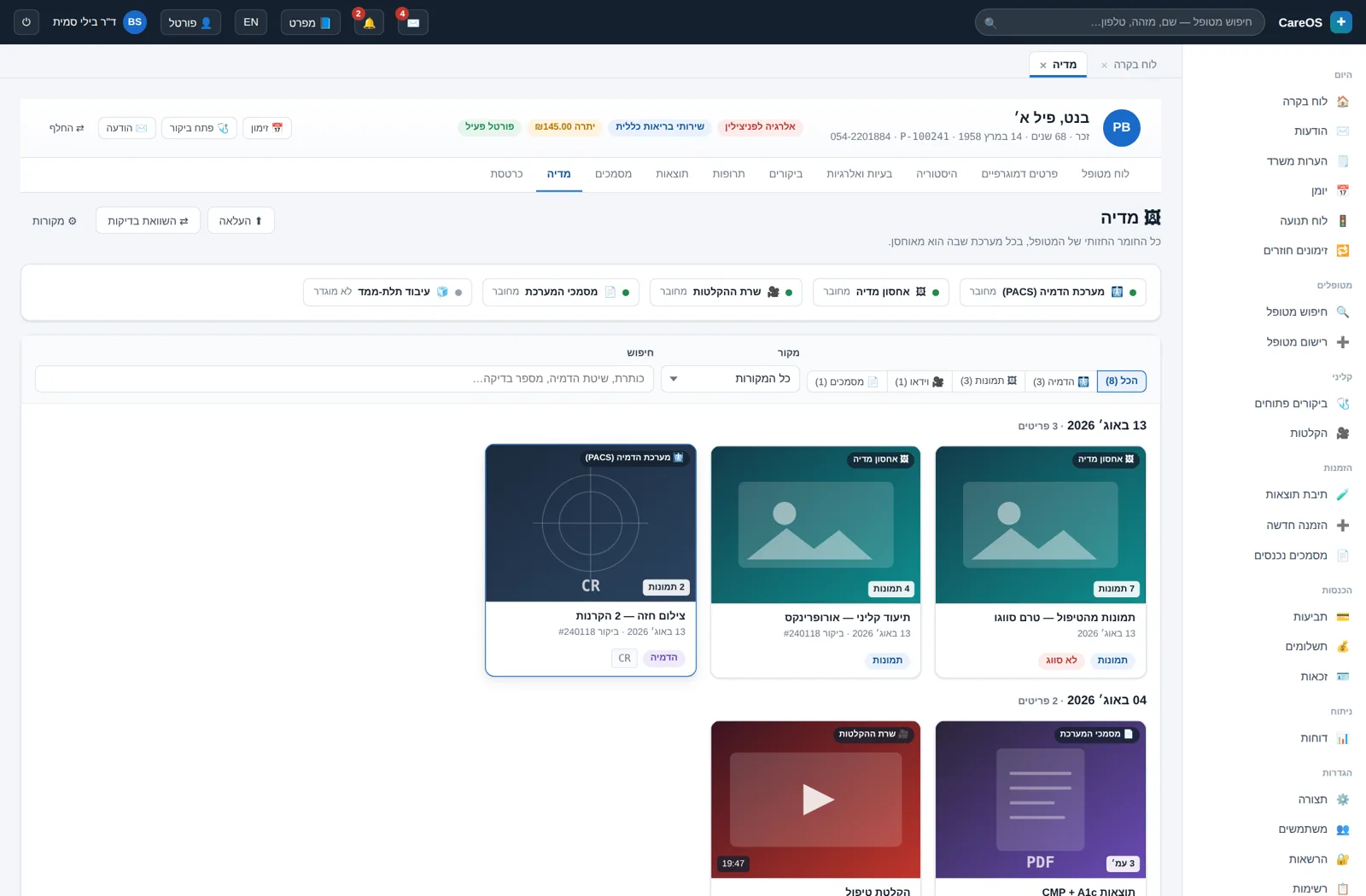 The media tab: images, video, and imaging studies for the same patient in one place.
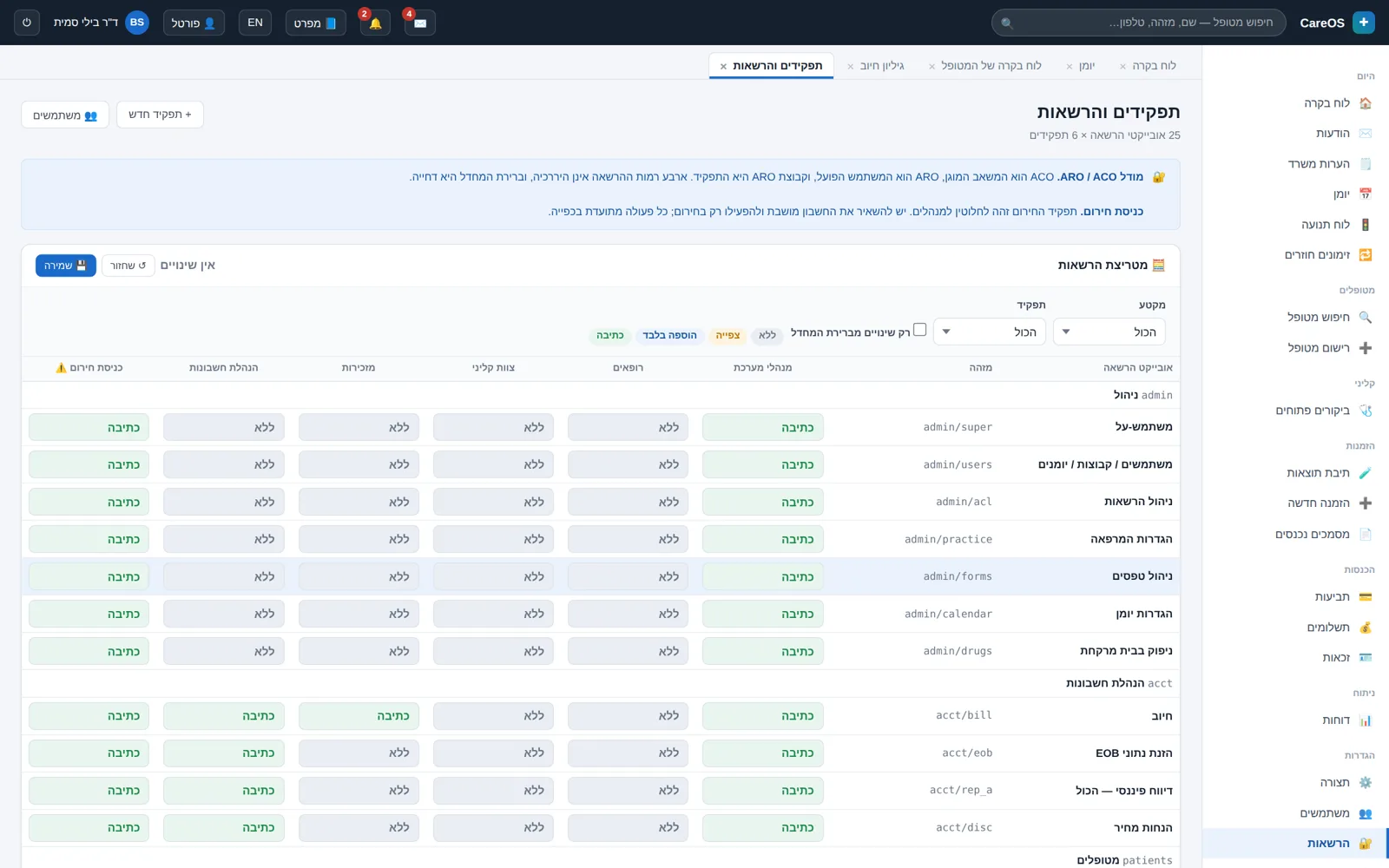 The permission matrix: what each role may view, add, and edit.
Want to see this running on your clinic?
We'll walk through the calendar, the patient chart, and the billing flow together, and see what fits and what's missing. A half-hour conversation, no slide deck.